
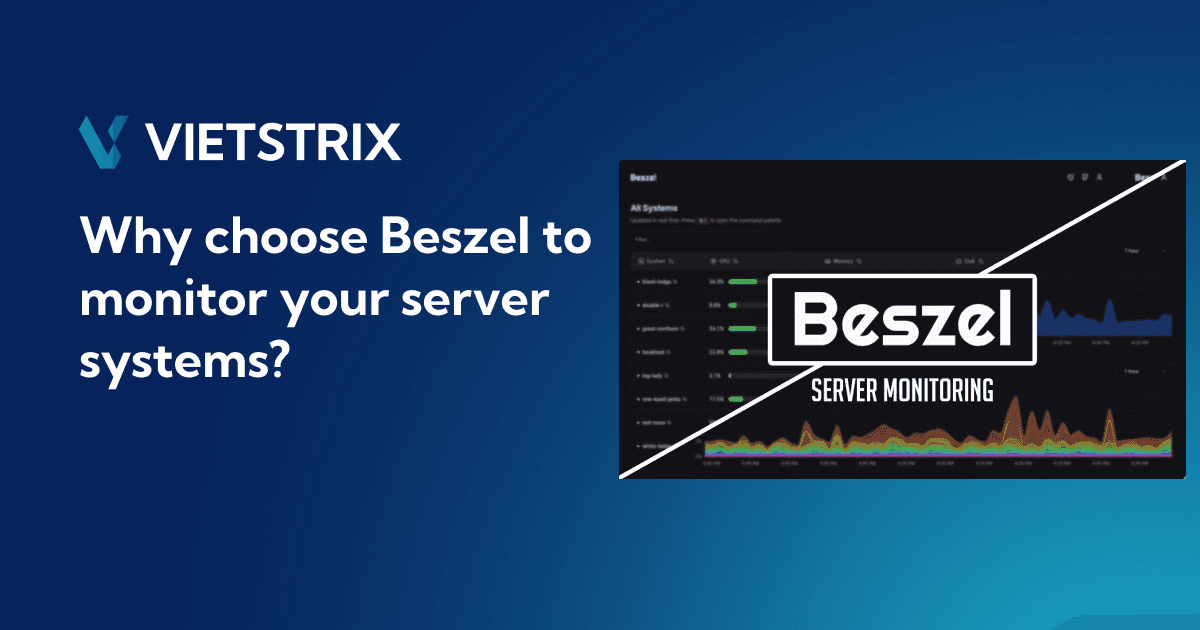
Why Choose Beszel to Monitor Your Server Systems?
Modern infrastructures are growing faster than ever.
Today, even small projects may run across multiple VPS servers, Docker containers, staging environments, reverse proxies, databases, and background workers. Monitoring these systems becomes essential the moment your application starts serving real users.
The problem is that many monitoring solutions are simply too heavy.
Traditional observability stacks often require multiple services, complex configuration files, exporters, storage management, and constant maintenance. For smaller teams, indie developers, startups, and self-hosted environments, this quickly becomes overwhelming.
That’s where Beszel stands out.
Beszel offers a modern, lightweight, and developer-friendly approach to server monitoring while remaining simple enough to deploy within minutes.

What is Beszel?
Beszel is a self-hosted server monitoring platform designed to help developers monitor infrastructure in a cleaner and simpler way.
Instead of building a large monitoring ecosystem using multiple tools, Beszel focuses on delivering the essential metrics developers actually need.
It provides a centralized dashboard where you can monitor:
CPU usage
Memory usage
Disk consumption
Network traffic
Docker containers
System uptime
Multiple VPS servers
Historical resource metrics

One of Beszel’s biggest strengths is its balance between simplicity and practicality.
You get modern monitoring features without the operational complexity commonly found in enterprise-grade monitoring stacks.
Beszel is especially useful for:
VPS hosting
Docker infrastructures
Homelab environments
Personal cloud systems
Indie hacker projects
Startup deployments
Development environments
Why Traditional Monitoring Solutions Feel Overkill
Monitoring stacks like Prometheus and Grafana are powerful, but they often introduce significant complexity.
A typical setup may include:
Prometheus
Grafana
Node Exporter
Loki
Alertmanager
Custom exporters
Large metric storage
Network configuration
Reverse proxy setup
While these tools are excellent for enterprise-scale infrastructures, many smaller environments simply do not need that level of complexity.
In many cases, developers spend more time maintaining the monitoring stack than monitoring the actual applications.
This becomes especially frustrating for:
Small VPS servers
Personal projects
Startup MVPs
Homelab systems
Lightweight Docker environments
Beszel takes a different approach.
It focuses on:
Minimal setup
Lower resource usage
Cleaner user experience
Faster onboarding
Simpler infrastructure management
This makes Beszel highly attractive for developers who want visibility without unnecessary overhead.
What Can Beszel Monitor?
Beszel focuses on the most important infrastructure metrics.
System Metrics
Beszel can monitor:
CPU usage
RAM consumption
Disk usage
Load average
Network bandwidth
System uptime
This allows developers to quickly identify overloaded servers or abnormal resource usage.

Docker Container Monitoring
Modern infrastructures heavily rely on containers.
Beszel integrates naturally with Docker environments, making container monitoring much simpler.
You can:
View running containers
Monitor container resource usage
Detect high CPU or memory usage
Track container uptime
Monitor multiple Docker hosts
This makes Beszel especially useful for Docker-first infrastructures.
Multi-Server Monitoring
Beszel allows you to connect multiple VPS servers into one centralized dashboard.
Instead of logging into each machine individually, you can monitor everything from a single interface.
This works extremely well for:
Production servers
Development servers
Database servers
Edge nodes
Reverse proxies
Cloud deployments
Key Advantages of Beszel
Lightweight and Efficient
One of Beszel’s strongest advantages is its low resource consumption.
Unlike heavier monitoring stacks, Beszel runs comfortably even on smaller VPS instances with limited RAM and CPU.
This is especially important for:
Budget cloud servers
Small VPS deployments
Homelab hardware
Edge computing systems
Simple Deployment
Beszel is designed to be deployed quickly.
You do not need:
Multiple exporters
Complex YAML configurations
Large observability pipelines
Advanced infrastructure knowledge
Most deployments can be completed in just a few minutes.
Modern and Clean Interface
The Beszel dashboard is clean, modern, and easy to navigate.
Instead of overwhelming developers with excessive graphs and configurations, Beszel focuses on usability and clarity.
Docker-Friendly by Design
Beszel works extremely well in Docker environments.
This aligns perfectly with how modern developers deploy applications today.
Whether you use:
Docker Compose
Standalone containers
VPS-based deployments
Self-hosted services
Beszel integrates naturally into the workflow.
Self-Hosted and Privacy Friendly
All monitoring data remains under your control.
This is important for developers and companies that care about:
Privacy
Security
Infrastructure ownership
Internal monitoring visibility
No external SaaS platform is required.
How Beszel Architecture Works
Beszel mainly consists of two components:
Hub
Agent
The Hub acts as the central monitoring dashboard.
The Agent runs on each server you want to monitor.
The Agent collects system metrics and sends them back to the Hub, where everything is displayed in a centralized interface.
This architecture is one of Beszel’s most practical design choices.
It keeps the deployment process simple while making multi-server monitoring extremely scalable.
Deploying Beszel Hub with Docker
The easiest way to deploy Beszel is using Docker.
First, choose a server to host the Beszel Hub dashboard.
Create a docker-compose.yml file:
services:
  beszel:
    image: henrygd/beszel:latest
    container_name: beszel
    restart: unless-stopped
    ports:
      - "8090:8090"
    volumes:
      - ./beszel_data:/beszel_data
Start the service:
docker compose up -dAfter deployment, open:
http://YOUR_SERVER_IP:8090You now have the Beszel Hub running.
Adding New VPS Agents
This is where Beszel becomes extremely convenient.
After the Hub is running, adding a new VPS server only takes a few steps.
Inside the Beszel dashboard:
Click Add System
Enter your server name
Beszel will automatically generate an Agent installation command and public key
Copy the generated command
Run it on the VPS you want to monitor


This workflow is one of Beszel’s strongest features because the target server usually only needs Docker installed.
No complicated exporter setup is required.
Example Agent Installation
After creating a new system inside the Hub, Beszel generates a command similar to this:
docker run -d \
  --name beszel-agent \
  --restart unless-stopped \
  -v /var/run/docker.sock:/var/run/docker.sock:ro \
  -p 45876:45876 \
  -e KEY="YOUR_PUBLIC_KEY" \
  henrygd/beszel-agent
In some cases, the generated command may also include:
Hub connection URL
TLS configuration
Additional environment variables
You simply copy the generated command and run it directly on the target VPS.
Once the Agent starts successfully, the VPS automatically connects back to the Beszel Hub and immediately appears inside the dashboard.
How the Hub + Agent Connection Works
The Beszel Hub acts as the central monitoring dashboard.
Each Agent installed on a VPS securely connects back to the Hub using the generated key.
The Agent is responsible for collecting:
CPU usage
RAM usage
Disk metrics
Network activity
Docker container information
These metrics are then sent to the Hub where everything is displayed in a centralized interface.
This architecture keeps the system lightweight while still supporting multi-server monitoring.

Why the Hub + Agent Model Is Powerful
Extremely Fast Server Onboarding
Adding a new server takes less than a minute.
You only need:
Docker installed
One generated command
Access to the Beszel Hub
This makes infrastructure scaling significantly easier.
Perfect for Growing Infrastructure
As your infrastructure grows, adding more servers remains simple and consistent.
This works especially well for:
Cloud VPS fleets
Startup infrastructure
Multiple environments
Hybrid deployments
Docker-based systems
Lower Operational Complexity
Many monitoring systems become operational burdens themselves.
Beszel reduces this problem significantly.
Less maintenance means:
Faster deployments
Easier troubleshooting
Lower infrastructure overhead
More developer productivity
Common Use Cases
VPS Monitoring
Monitor server health, CPU spikes, RAM usage, and uptime.
Docker Infrastructure
Track container health and resource consumption across multiple hosts.
Homelab Management
Monitor self-hosted services and home servers from one dashboard.
Startup Infrastructure
Maintain visibility into production environments without deploying enterprise-scale monitoring systems.
Development and Staging Environments
Monitor test environments with minimal setup effort.
Final Thoughts
Beszel is an excellent monitoring solution for developers who want modern infrastructure visibility without unnecessary complexity.
It focuses on simplicity, speed, and practical monitoring rather than building a massive observability ecosystem.
If your goal is:
Lightweight monitoring
Fast deployment
Docker-friendly infrastructure
Self-hosted visibility
Simple multi-server management
Then Beszel is absolutely worth considering.
As modern infrastructures continue shifting toward containerized and lightweight environments, tools like Beszel represent a much more practical direction for many developers and teams today.
